Large files
The heaviest files on your disk, in one table, with the last time you opened them.
Largest firstBrisa sets aside what you no longer use and tells you what it frees. What it removes waits in Brisa Trash with an expiry date —7, 30 or 60 days— and goes back where it was if you change your mind. Photos, documents and music stay out.
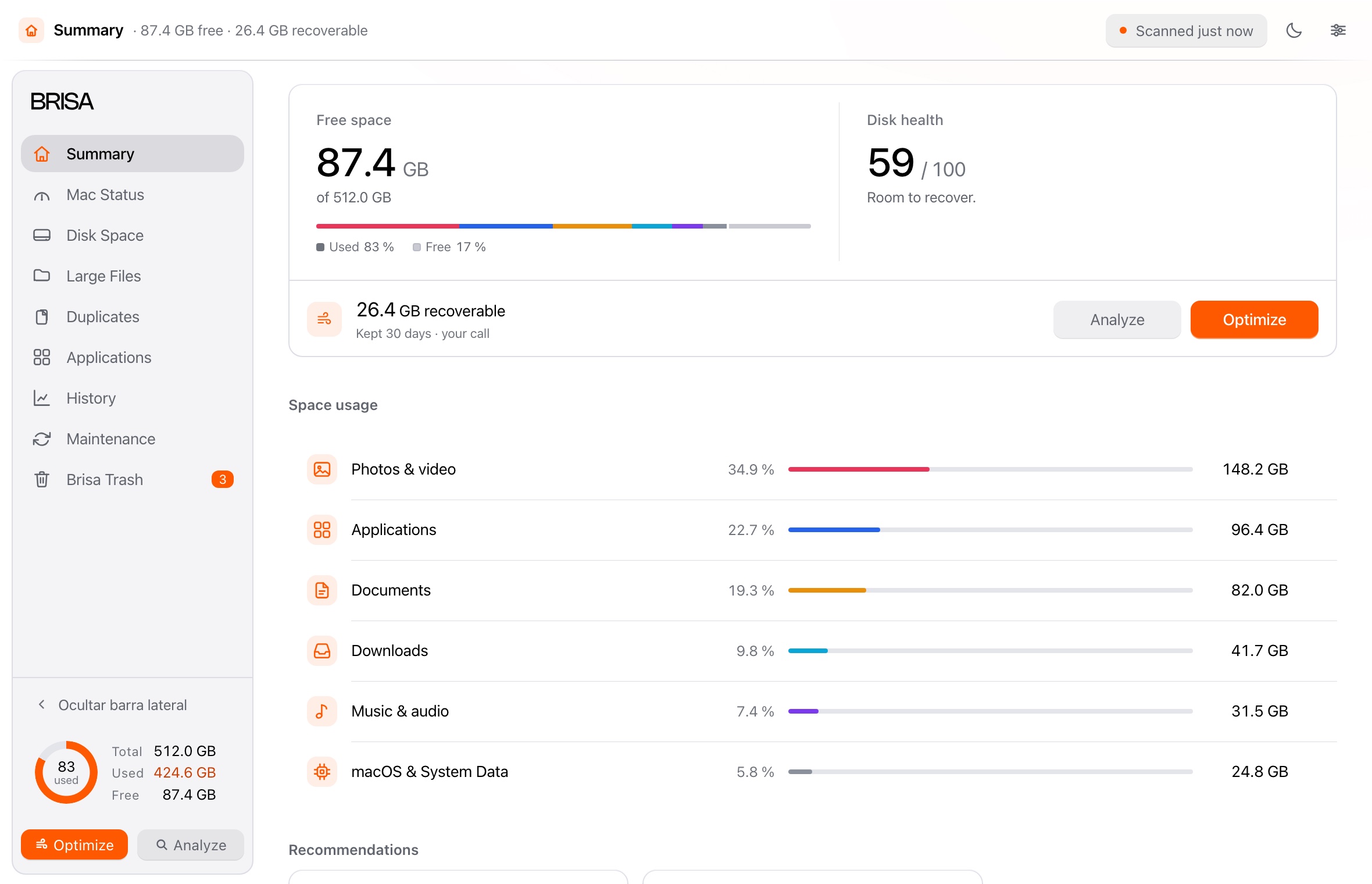
What it finds
What Brisa looks for on your disk —and how much it frees—, with nothing moving before you see it.
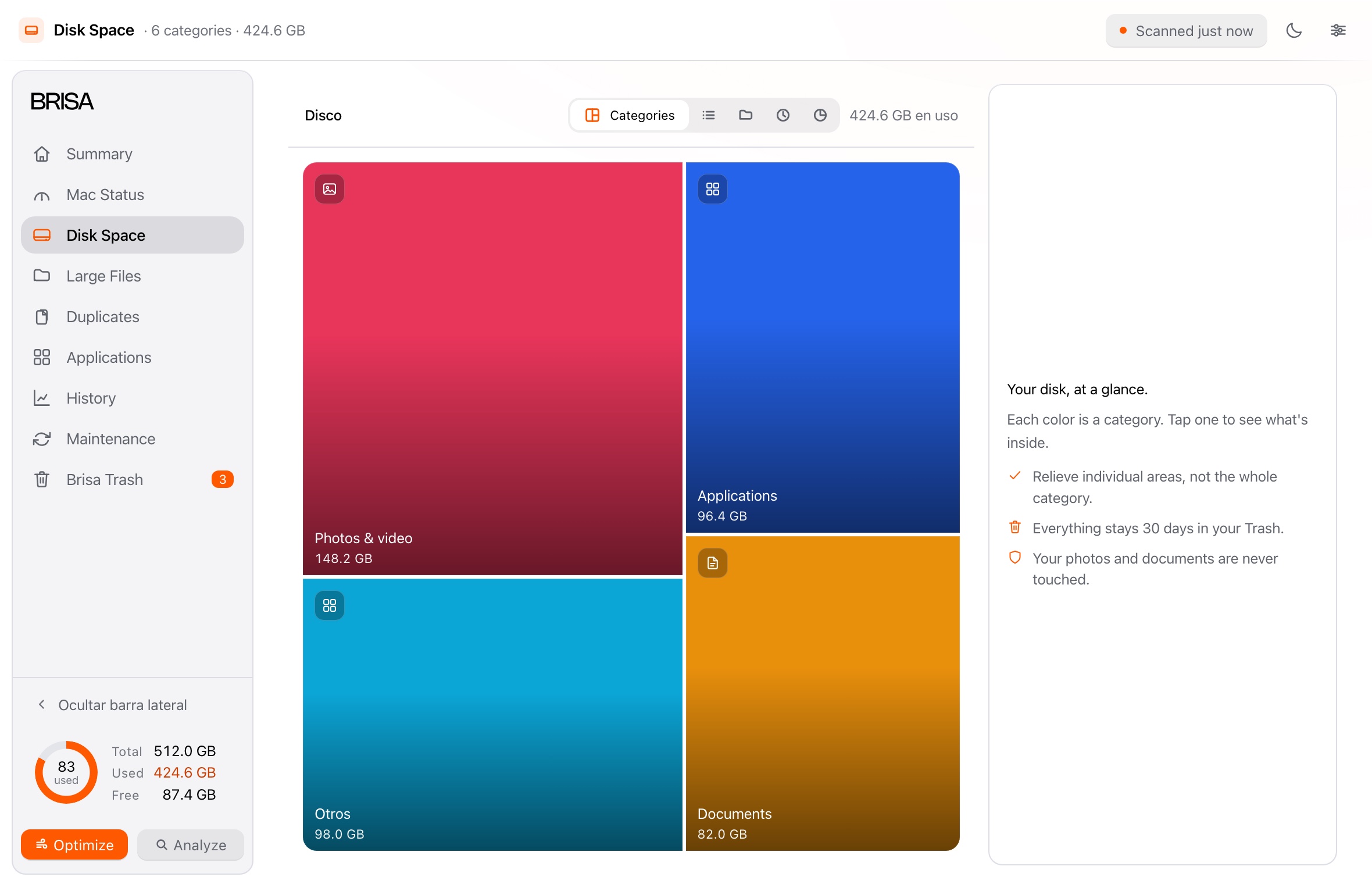
Disk space
One scan measures the whole disk: what each thing takes, and what you have not opened in months.
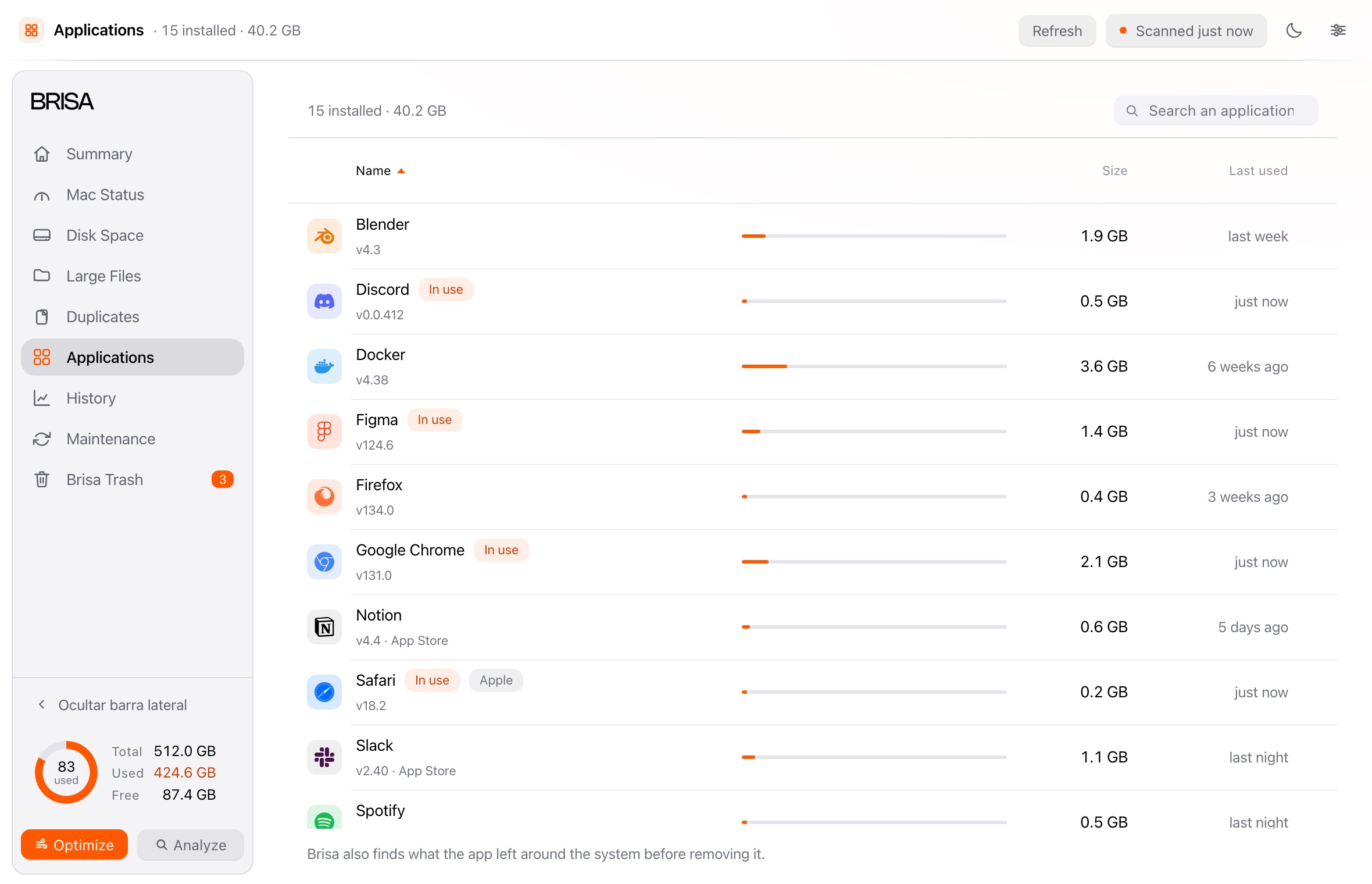
Applications
An app never leaves by itself: it drops files across the system. Brisa finds them and takes them out with it.
Uninstalling is final, and Brisa warns you first. A cleanup, on the other hand, always goes through Brisa Trash.
The difference
A cleaner deletes and asks you to trust it. Brisa sets things aside: everything it removes waits with its expiry date and goes back where it was inside the window you choose.
Questions
Cleaning never deletes: what Brisa sets aside waits with its expiry date and comes back within the window —7, 30 or 60 days—. Once that is up, its trash is emptied: then it is gone. Uninstalling is final, and it warns you first.
No. It scans first and shows you the plan: nothing moves until you confirm. The one exception is automatic maintenance, if you turn it on.
Because Brisa carries no Apple developer certificate: macOS only lets you open that way what it could not verify. It does not mean anything is wrong with Brisa, and the steps are on the download page.
Nothing, unless you ask it to. The single exception is “Help improve Brisa”, and it sends only what you decide.
It works all the same: it measures everything else and tells you what is missing. You can withdraw it whenever you want.
Nothing: Brisa is free and complete, with no account, no subscription and no paid version.
In one minute you will see how much space you were hiding from yourself, and inside the window you choose, any of it can go back.